
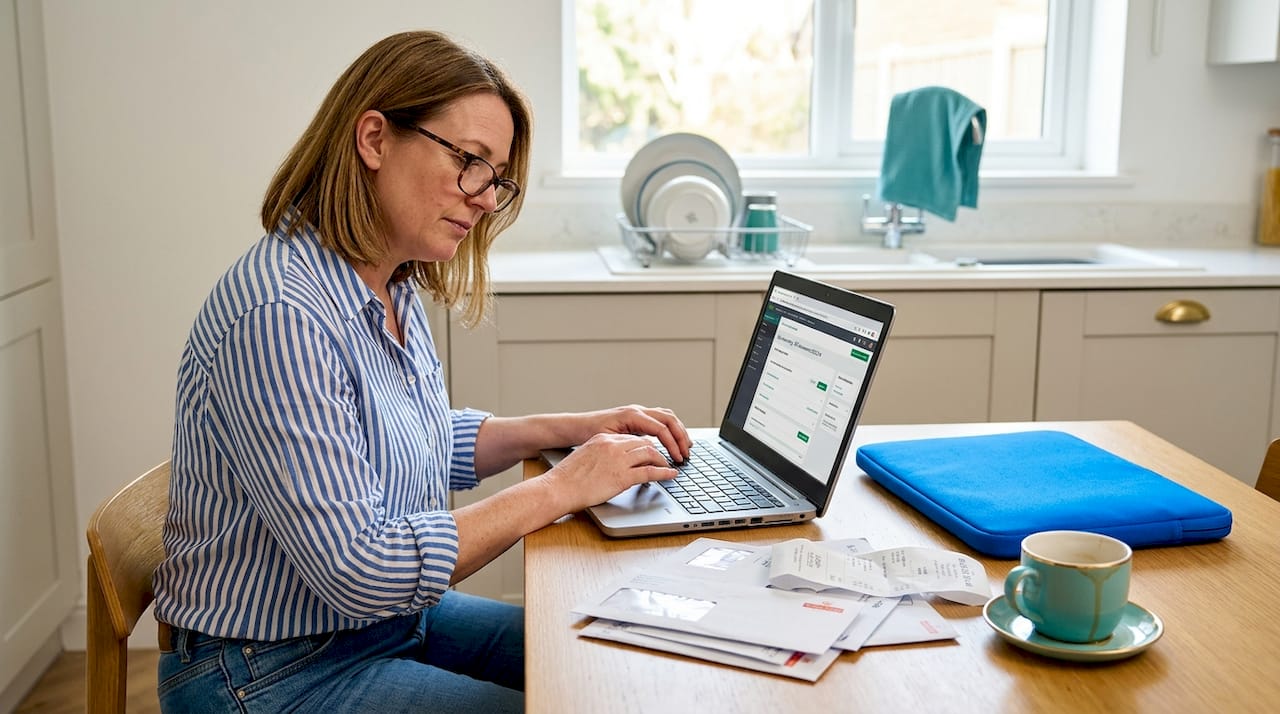
Making Tax Digital explained: clear steps and key benefits
Making Tax Digital is not simply a new piece of software you install once and forget. It is a fundamental shift in how HMRC expects you to record, report, and manage your tax obligations. Many small business owners and sole traders assume it is just another layer of admin, or that it only affects larger companies. Neither is true. This guide cuts through the confusion, explains exactly what you need to do and when, and shows you why, handled well, MTD can actually make your financial life considerably easier.
Table of Contents
- What Making Tax Digital means and why it matters
- Who needs to use Making Tax Digital and when
- How Making Tax Digital works in practice
- The real benefits and drawbacks of Making Tax Digital
- Top pitfalls, common questions, and how to stay compliant
- A fresh perspective: why Making Tax Digital is more than just compliance
- Get expert support for Making Tax Digital
- Frequently asked questions
Key Takeaways
| Point | Details |
|---|---|
| Digital-first tax reporting | Making Tax Digital moves small businesses to quarterly digital updates and compatible software. |
| Phased rollout by income | MTD obligations start at £50,000 income from April 2026, then lower for 2027 and 2028. |
| Quarterly updates required | You must submit digital income and expenses updates four times a year if in scope. |
| Annual tax return remains | Even with MTD, you still file a final tax return and payment deadline does not change. |
| Plan for compliance early | Choosing MTD-ready software and process now makes the transition less stressful. |
What Making Tax Digital means and why it matters
Making Tax Digital is HMRC’s programme to collect tax information digitally using compatible software, moving from annual or occasional updates to more frequent digital reporting. That is a significant change to a system many businesses have used for decades.
The traditional model was straightforward: gather your records, file once a year, pay your bill. MTD replaces that rhythm with a more continuous process. You keep digital records throughout the year, submit quarterly summaries to HMRC, and then complete an end-of-year return. Think of it less like a once-a-year exam and more like regular check-ins.
Why has HMRC made this change? The core aim is to reduce the tax gap, which is the difference between what is owed and what is actually collected. Errors in manual record-keeping account for a significant portion of that gap. By requiring digital records and more frequent reporting, HMRC expects fewer mistakes to slip through.
The evidence from MTD for VAT, which was introduced earlier, is encouraging. HMRC’s own evaluation found time savings and increased confidence for businesses using fully functional software, and the programme is cited as reducing errors and encouraging better digital record-keeping habits overall.
| Feature | Old system | Under MTD |
|---|---|---|
| Record-keeping | Paper or digital (your choice) | Must be digital |
| Reporting frequency | Once a year | Quarterly updates plus annual return |
| Software requirement | None mandated | MTD-compatible software required |
| Error risk | Higher (manual entry) | Lower (automated links) |
“The shift to MTD is not just about compliance. It is about giving businesses a clearer, more accurate picture of their finances throughout the year, not just at year end.”
For a broader overview of how the programme applies to different business types, our making tax digital overview explains the full picture.
Who needs to use Making Tax Digital and when
Not every business enters MTD at the same time. The rollout is phased, based on your qualifying gross income. This is the total income from self-employment and property before any expenses or allowances are deducted.
The earliest mandation for MTD for Income Tax starts on 6 April 2026 for qualifying gross income above £50,000, based on your most recent Self Assessment return. If you filed a return showing income above that threshold, you need to be ready.
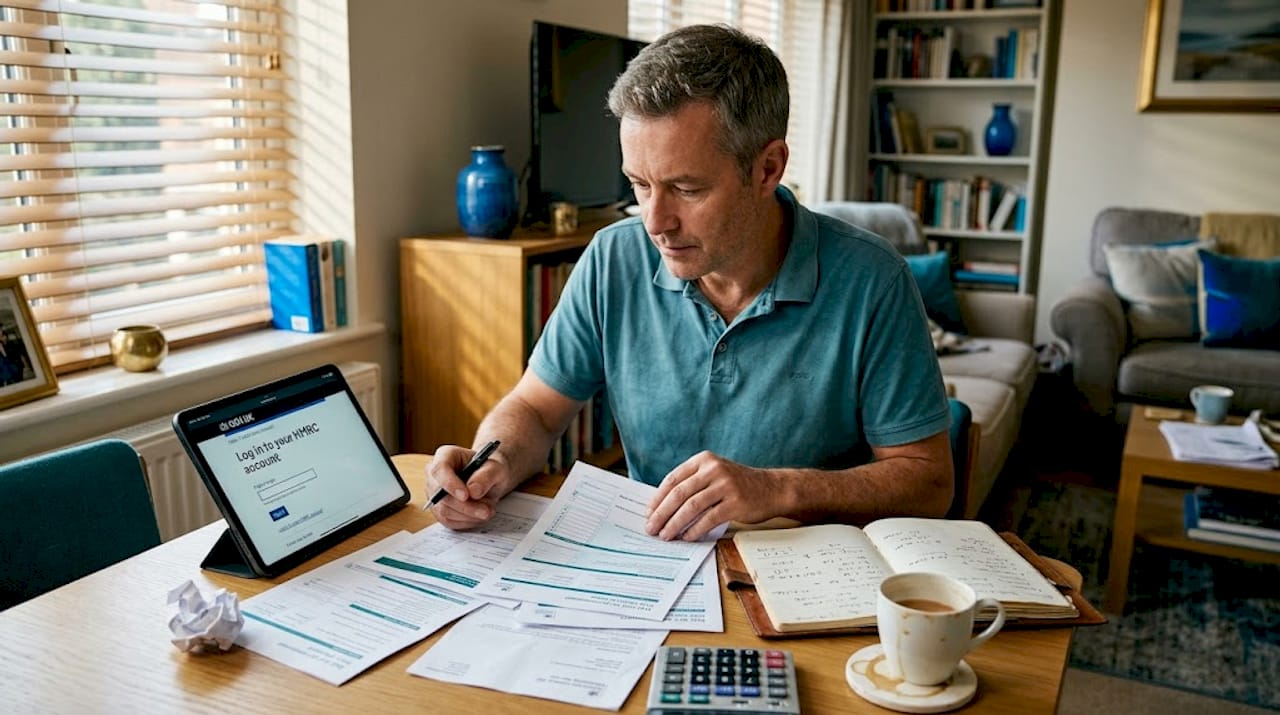
The phased expansion continues as follows:
| Start date | Qualifying income threshold |
|---|---|
| 6 April 2026 | Above £50,000 |
| 6 April 2027 | Above £30,000 |
| 6 April 2028 | Above £20,000 |
The reduction to £20,000 from April 2028 means the vast majority of sole traders and landlords will eventually be brought into the system.
Who is affected?
- Sole traders with qualifying gross income above the relevant threshold
- Landlords with property income above the threshold
- Individuals with both self-employment and property income, where the combined total crosses the threshold
- Partnerships are expected to follow in later phases (dates not yet confirmed)
Who is currently not included?
- Employees taxed only through PAYE
- Those with income entirely below the relevant threshold
- Limited companies (MTD for Corporation Tax is a separate, later initiative)
Pro Tip: Check your most recent Self Assessment return now. If your qualifying income is close to £50,000, you may need to act before April 2026. Even if you are below the threshold today, plan ahead, because the lower limits arrive quickly.
To confirm whether you are required to file a Self Assessment at all, our guide on self-assessment eligibility covers the full criteria in plain English.
How Making Tax Digital works in practice
Understanding if and when your business enters the MTD regime means you can prepare in good time. But what do you have to actually do?
Eligible sole traders and landlords must keep digital records and use MTD-compatible or recognised software to send quarterly updates to HMRC. Here is how that process works, step by step:
-
Choose MTD-compatible software. This could be a cloud accounting package such as Xero, QuickBooks, or FreeAgent, or a bridging solution if you prefer to continue using spreadsheets. HMRC maintains an approved software list.
-
Keep digital records throughout the year. Every income and expense transaction must be recorded digitally in real time, or as close to it as possible. You cannot simply batch-enter records at the end of each quarter.
-
Submit quarterly updates to HMRC. These are summaries of your income and expenses for each three-month period. They are not a final tax calculation. They give HMRC a running picture of your financial position.
-
Complete the end-of-year process. After the final quarter, you finalise your figures, make any adjustments (such as claiming allowances or correcting errors), and submit your annual return. This replaces the traditional Self Assessment return.
-
Pay your tax as normal. This is an important point that causes confusion. MTD does not change when Income Tax is paid or the amount you owe. Payment dates remain the same.
A few practical points worth knowing:
- Quarterly updates cover fixed periods: April to June, July to September, October to December, and January to March.
- You have one month after each quarter end to submit your update.
- If you use spreadsheets alongside bridging software, you must maintain a continuous digital link between them. You cannot manually retype figures from one tool into another.
For help choosing the right tools and setting up your digital workflow, our cloud accounting setup service is designed specifically for businesses making this transition. If you want to understand your full obligations under MTD, our page on complying with MTD sets out the requirements clearly.
Pro Tip: Treat each quarterly update as a prompt to review your finances, not just a compliance task. Checking your income and expenses every three months means fewer surprises at year end and better decisions throughout the year.
The real benefits and drawbacks of Making Tax Digital
The new digital workflow seems clear, but what are the real pros, cons, and concerns?
The genuine benefits
HMRC’s VAT final evaluation reported estimated time savings of 26 to 40 hours per business per year on average, valued at between £603 million and £915 million across the programme. That is not a trivial figure. For many small businesses, that represents real hours freed from chasing receipts, correcting errors, and scrambling to meet a single annual deadline.
The headline benefits include:
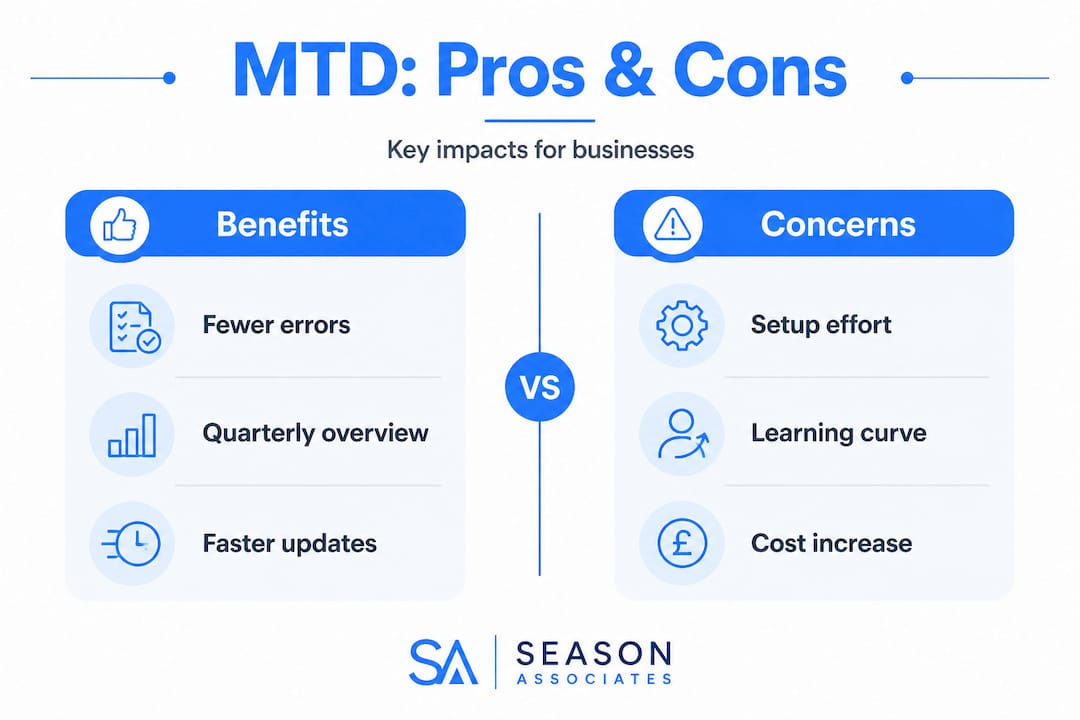
- Fewer errors. Digital record-keeping reduces the risk of transposition mistakes and lost receipts.
- Better financial visibility. Quarterly updates mean you know roughly where you stand throughout the year, not just in January.
- Reduced year-end panic. When records are maintained regularly, the annual return becomes a confirmation rather than a reconstruction.
- Potential cost savings long-term. Fewer corrections, penalties, and accountancy hours spent fixing problems can offset the initial investment in software.
“67% of VAT-registered businesses surveyed by HMRC reported fewer mistakes after adopting MTD-compatible software.”
The honest concerns
Not everyone is enthusiastic. ICAEW has expressed concerns about the burden and clarity of the quarterly update requirement, questioning whether the compliance costs and benefits are proportionate, particularly for the smallest businesses.
The main criticisms are:
- Learning curve. If you have never used accounting software, the initial setup takes time and confidence.
- Software costs. Monthly subscription fees for cloud accounting tools are an additional expense, especially for micro-businesses with very simple finances.
- Quarterly admin creep. Four submissions per year instead of one means four opportunities to miss a deadline or make an error.
- Digital exclusion. Some business owners, particularly older sole traders or those in areas with poor broadband, find the digital requirement genuinely challenging.
For those keeping a close eye on key tax deadlines, understanding how quarterly MTD deadlines sit alongside existing payment dates is essential to avoid penalties.
Top pitfalls, common questions, and how to stay compliant
This brings us to a deeper look at why so many find MTD confusing, and what practical steps you can take to stay on the right side of HMRC.
Common pitfalls to avoid
- Broken digital links. If you use spreadsheets and bridging software, HMRC requires that bridging software is digitally linked to your record-keeping software to meet minimum functionality standards. Manually copying figures between tools breaks that link and puts you out of compliance.
- Relying on estimates. Some business owners assume they can fill in approximate figures during the year and correct them later. HMRC expects your quarterly updates to reflect actual records, not rough guesses.
- Forgetting the annual return. MTD does not remove the requirement for a final annual return. Quarterly updates are summaries only. The annual return is where you finalise your tax position.
- Missing the registration deadline. You need to register for MTD with HMRC before your start date. Leaving this to the last minute risks a gap in compliance.
- Using non-compatible software. Not every accounting app is on HMRC’s approved list. Check before you commit to a tool.
Pro Tip: If you are unsure whether your current software qualifies, check HMRC’s published list of recognised software providers. Your accountant can also confirm compatibility and help you set up digital links correctly.
For managing your tax affairs more broadly, understanding how to use your HMRC personal tax account will help you track submissions, check your records, and communicate with HMRC efficiently.
A fresh perspective: why Making Tax Digital is more than just compliance
Most guidance on MTD focuses on the rules: who must comply, by when, and what software to use. That is important, but it misses something bigger.
The businesses we work with who have adopted MTD early, and done it thoughtfully, are not just compliant. They are better informed. They know their income and expenses at a glance. They can see whether a quiet month is a blip or a trend. They are not shocked by their tax bill in January because they have been watching the numbers build throughout the year.
That is the real opportunity that most businesses miss when they think about MTD. It is not a compliance burden dressed up as a benefit. It is a structural change that, if you use it well, turns your quarterly update into a genuine business dashboard.
The conventional advice says: get the right software, keep your records tidy, and submit on time. All of that is correct. But the deeper insight is this: the quarterly rhythm of MTD forces a discipline that most sole traders and small business owners never had before. Instead of one frantic annual review, you get four regular moments to ask, “How is the business actually doing?”
In our experience, the people who dread MTD most are those who have been avoiding looking at their numbers. Once they are in the habit, they almost always say the same thing: they wish they had started sooner. The quarterly cadence reduces anxiety rather than increasing it, because uncertainty is always more stressful than clarity.
Get expert support for Making Tax Digital
Navigating MTD on your own is possible, but it is much easier with the right support alongside you.
At Season Associates, we offer practical, straightforward guidance on every aspect of Making Tax Digital, from choosing the right software to setting up digital links and managing your quarterly submissions. Our MTD solutions for businesses cover the full process, whether you are just starting out or need help correcting an existing setup. We also provide dedicated bookkeeping support to keep your records accurate and submission-ready throughout the year. If you need help selecting or setting up your accounting tools, our cloud software specialist service ensures you are using compliant, efficient software from day one. Get in touch for a bespoke consultation tailored to your business.
Frequently asked questions
Is Making Tax Digital mandatory for all businesses in 2026?
No, only sole traders and landlords with qualifying income above £50,000 must follow MTD for Income Tax from 6 April 2026, with lower thresholds introduced in 2027 and 2028.
Do I still need to file a Self Assessment tax return under Making Tax Digital?
Yes, you must send quarterly digital updates and still file a final annual return with HMRC. Quarterly updates are not the final tax computation, so the annual return remains a firm requirement.
Can I use spreadsheets for Making Tax Digital?
You may use spreadsheets, but they must be digitally linked to MTD-compatible bridging software. HMRC requires the digital journey to remain unbroken throughout the process.
Does MTD change when I pay my tax or how much tax I owe?
No. MTD changes how you report, but payment dates stay the same and your tax calculation is unaffected by the new reporting method.
What happens if I miss a quarterly update deadline under MTD?
Missing a deadline can lead to penalties under HMRC’s points-based system, so it is essential to keep your records current and submit each quarterly update on time using compliant software.


https://shorturl.fm/WIVwS
https://shorturl.fm/3aaYj
https://shorturl.fm/ccrIq
https://shorturl.fm/fu0os